Mail Archive Cleanup icon

Your Mail folder is
quietly eating your disk

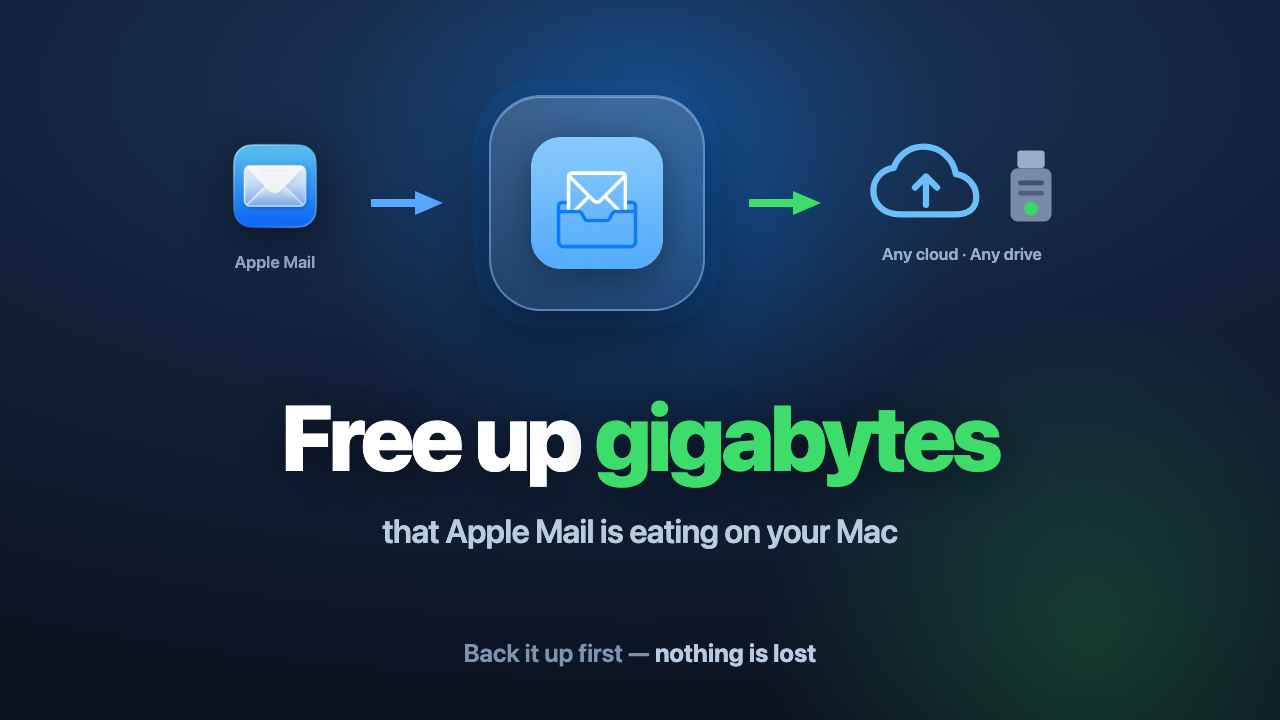
Years of messages and attachments pile up locally. Back them up to any cloud folder or USB drive, then delete them in Mail to reclaim the space. Nothing is lost — every archived email stays browsable and searchable right here in the app.

macOS 14 or later · One-time purchase · No account, no subscription

Mail Archive Cleanup moves mail from Apple Mail to any cloud folder or external drive

How it works

Three steps. Your mail is copied out before anything is cleared.

1

Scan

See exactly how much space Apple Mail takes on this Mac, broken down per mailbox and per year.

2

Archive

Copy old mail — with attachments — to any folder you choose: iCloud Drive, OneDrive, Dropbox, Google Drive, an external SSD or a USB stick.

3

Reclaim

Once every copy is verified, clear the originals in Mail and get the disk space back.

What you get

Lossless .eml archive

Byte-exact copies you can open in Apple Mail, Thunderbird or any mail client. No proprietary database, no lock-in, ever.

Built-in mail library

Browse and full-text search your entire archive instantly — sender, subject, body and attachments.

Works offline

Search keeps working when the drive is unplugged or you have no internet. The index lives on your Mac.

Archive anywhere

Any cloud folder that syncs to your Mac — iCloud, OneDrive, Dropbox, Google Drive and others — or any external drive. Multiple locations merge into one searchable library.

Attachments included

Nothing is stripped or recompressed. The archived message is exactly what arrived in your inbox.

Conversation grouping

Replies and forwards fold into threads, so a long exchange reads as one conversation — just like Mail.
Built to be safe

This app touches your mail archive. It is designed so a mistake can’t cost you an email.

Never modifies Apple Mail

The app only reads your mail and writes copies elsewhere. It never edits or deletes anything inside Mail.

Every copy is verified

After writing, each file is re-read from disk and byte-checked — a silent write failure can never pass as a backup.

Conservative by default

Nothing is marked “safe to remove” unless it is genuinely backed up — including messages still on the server that were never downloaded.

Private by design

No account, no server, no telemetry. Your mail never leaves your Mac except to the drive you choose.

Questions

Will I lose any email?

No. The app copies messages out first and verifies every file byte by byte. Clearing the originals in Mail is a separate, explicit step you take yourself.

Can I still read archived mail later?

Yes. Browse and search everything inside the app, or open any archived message as a standard .eml file in Apple Mail or any other client.

Why does it need Full Disk Access?

macOS protects Apple Mail’s data folder. Without that permission no app can read your mail. You grant it once in System Settings — the app never sends anything anywhere.

Is it a subscription?

No. One-time purchase with a 7-day free trial. The license is verified locally, so it keeps working offline.